QuadPen Native retopology. Built for artists, not workarounds.

Windows · Mac · Linux - Version 0.14.0

About

QuadPen is a desktop application for retopology and map baking, for Windows, Mac and Linux.

Sculpts and 3D scans can have millions of polygons. That is too heavy to animate or to run in a game.

Retopology means building a new, lighter mesh over the sculpt, with the edges exactly where the model needs them. Baking then copies the fine detail from the sculpt into texture maps, so the light mesh still looks detailed.

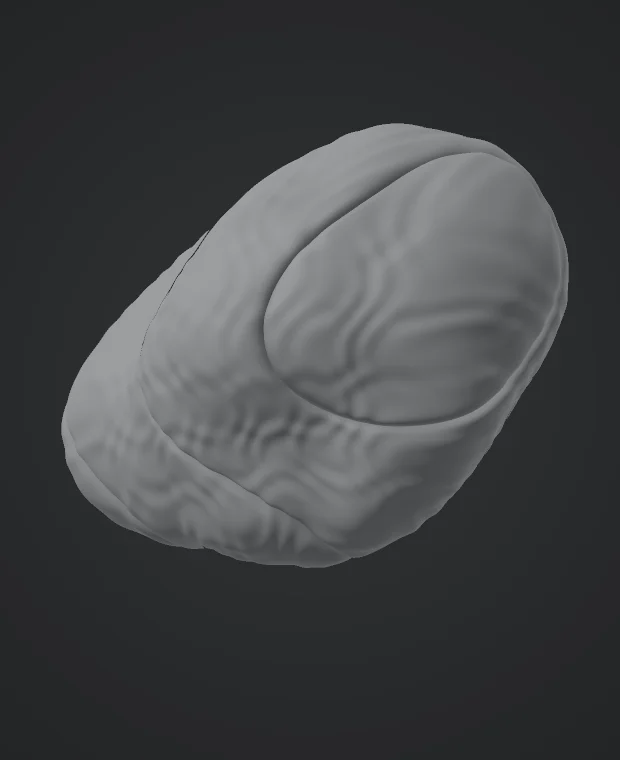
A grey sculpted form with fine surface detail.
1. High-poly sculpt
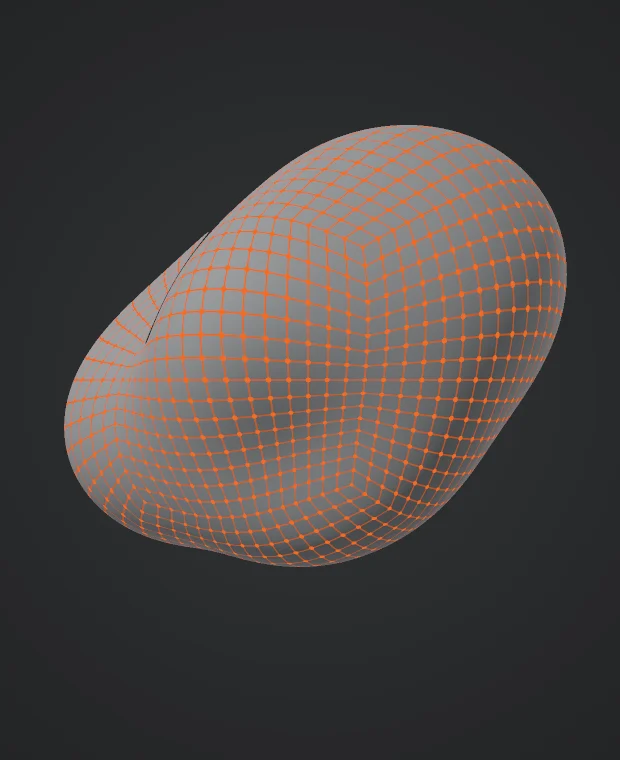
The same form as a smooth surface with an orange grid of quads.
2. Retopologized mesh
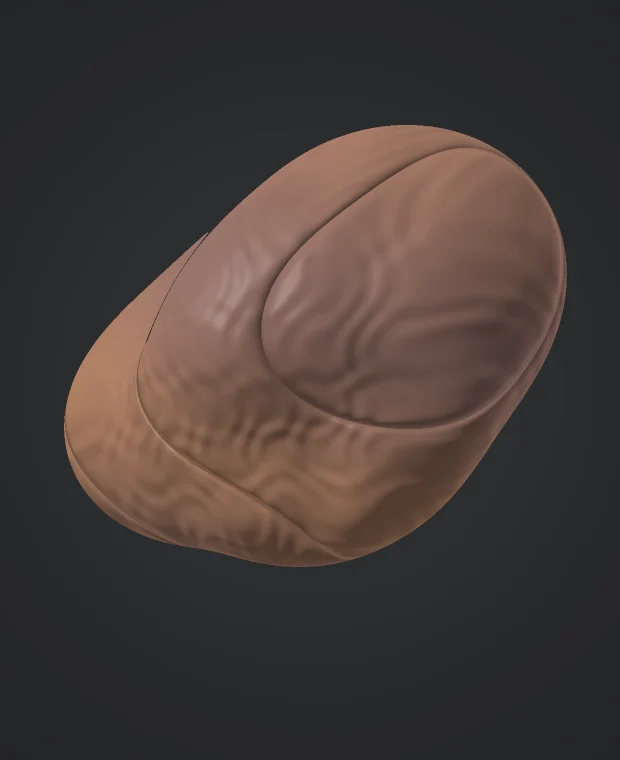
The light mesh with baked surface detail and color.
3. Baked maps on the light mesh

Illustration made for this page, not rendered in QuadPen.

In QuadPen you do all of this in one window. Load your sculpt, draw the new mesh on top of it, unwrap the UVs and bake your maps.

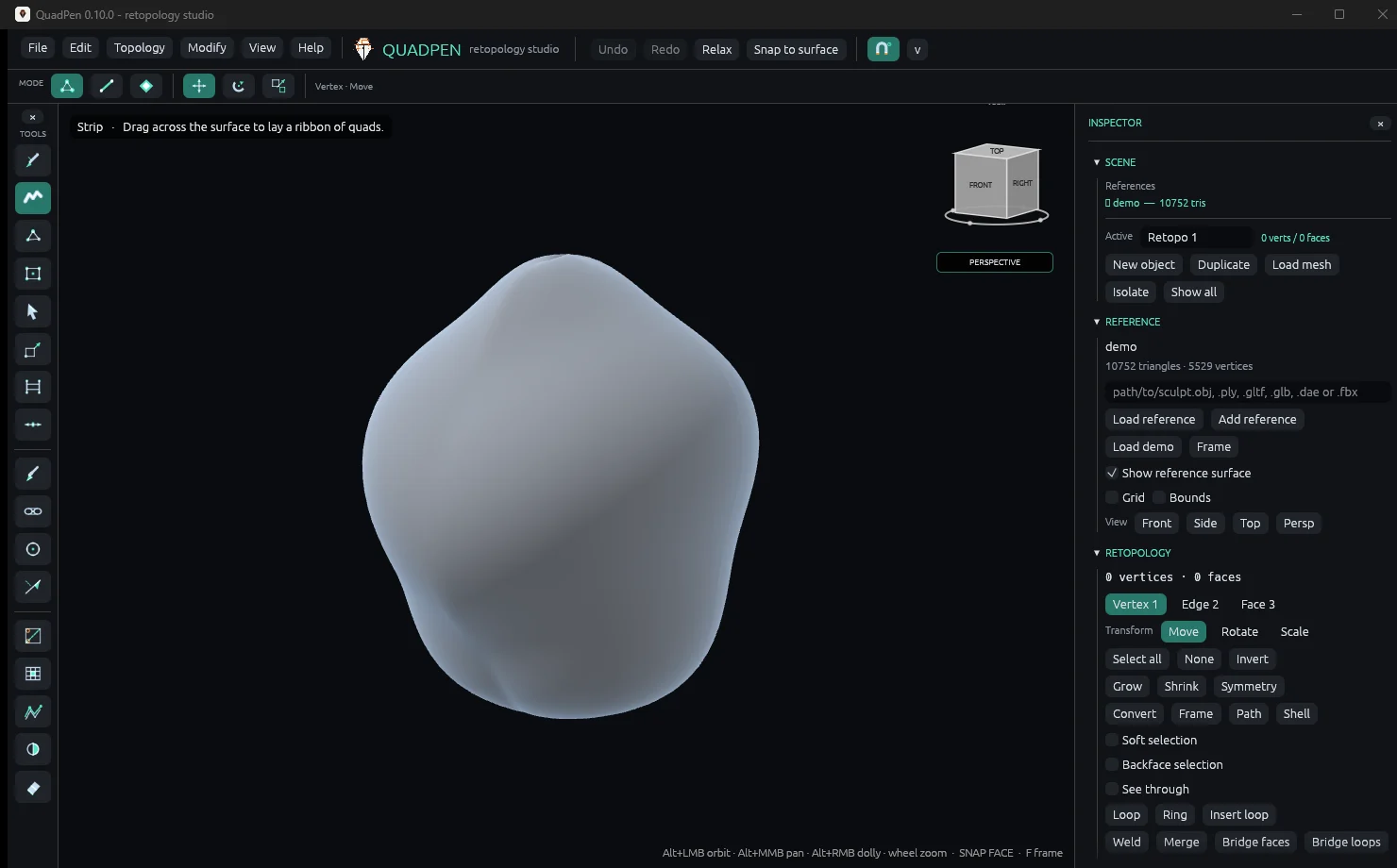
The QuadPen workspace in the Dark theme: tool strip on the left, a demo reference in the viewport, and the inspector on the right.
QuadPen 0.10.0. Demo scene, no topology yet.

Display LOD keeps heavy references usable, and the interface stays responsive while you work.

Features

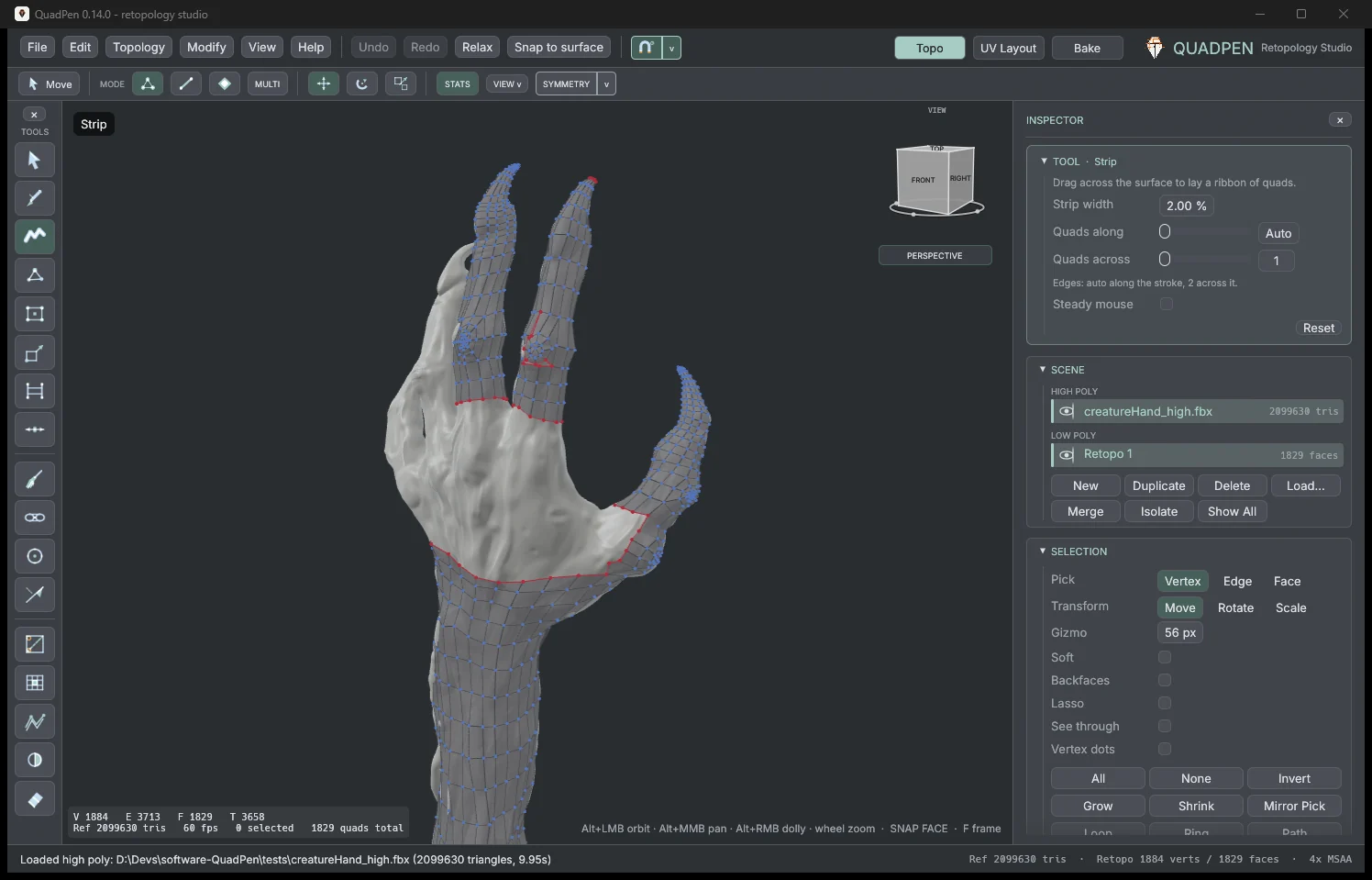
QuadPen with a creature hand sculpt, its fingers and forearm covered with quads.

Draw on the Sculpt

Drag across the surface to lay a ribbon of quads. New geometry follows the sculpt, so you can focus on edge flow.

Read More
  • Strip lays a ribbon of quads, one quad wide or several.
  • Tubes wrap right round a limb, on the far side too.
  • Patch fills a region from the lines you draw around it, and shows the quads live while you draw.
  • Quad, Create, Circle, Loft and Sweep for everything else.
  • Steady mouse smooths out hand jitter.
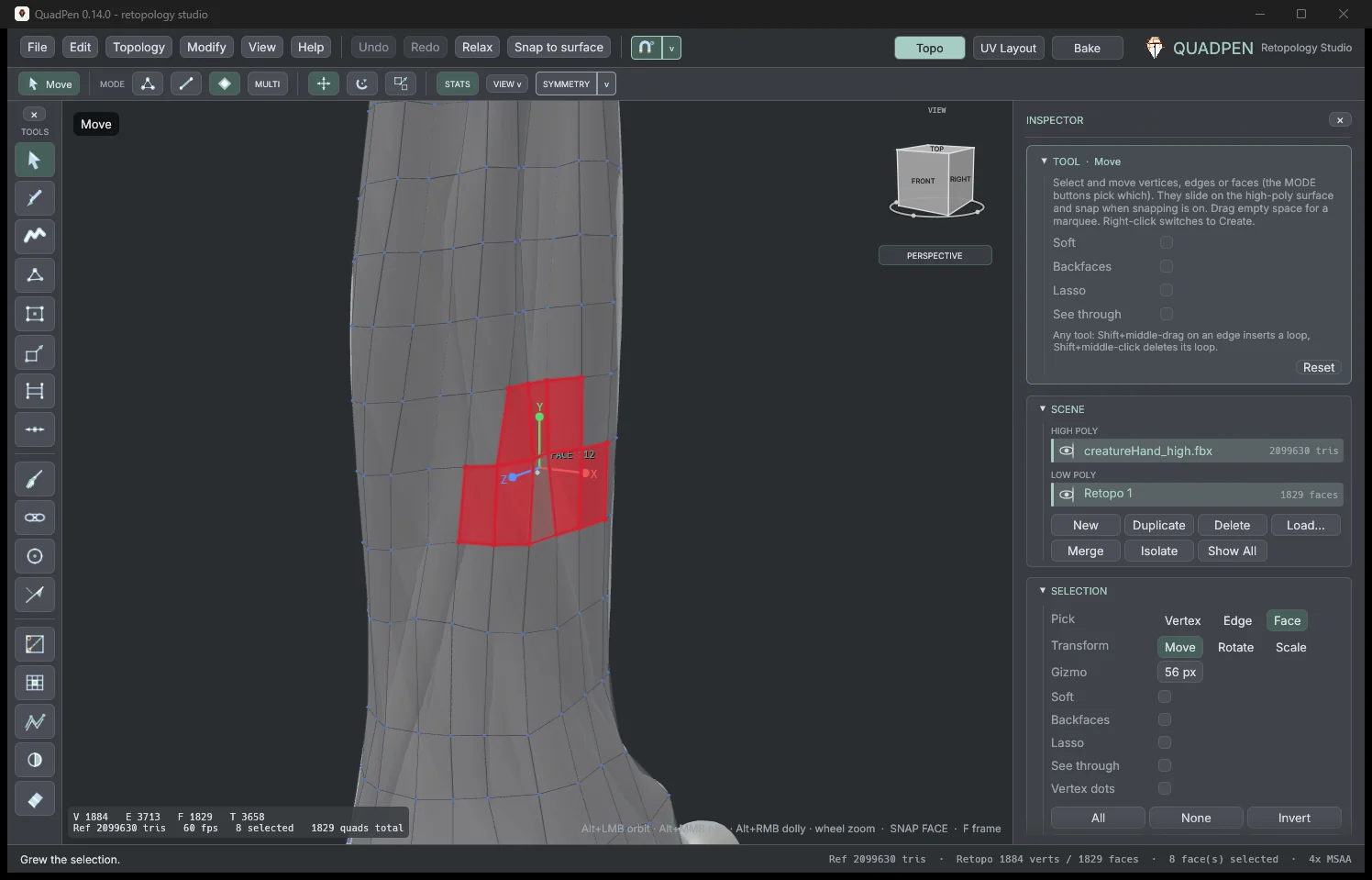
QuadPen with a group of faces selected on a forearm and the move gizmo on them.

Slice, Cut and Edit

Add new edges wherever you need more detail, then move and tidy the mesh.

Read More
  • Slice cuts with a line you drag; Cut follows your stroke, vertex to vertex.
  • Insert an edge loop with one key.
  • Move, rotate and scale on the surface, with soft selection.
  • Hold Shift in any tool to smooth; let go and your tool is back.
  • Symmetry on X, Y, Z or your own plane.
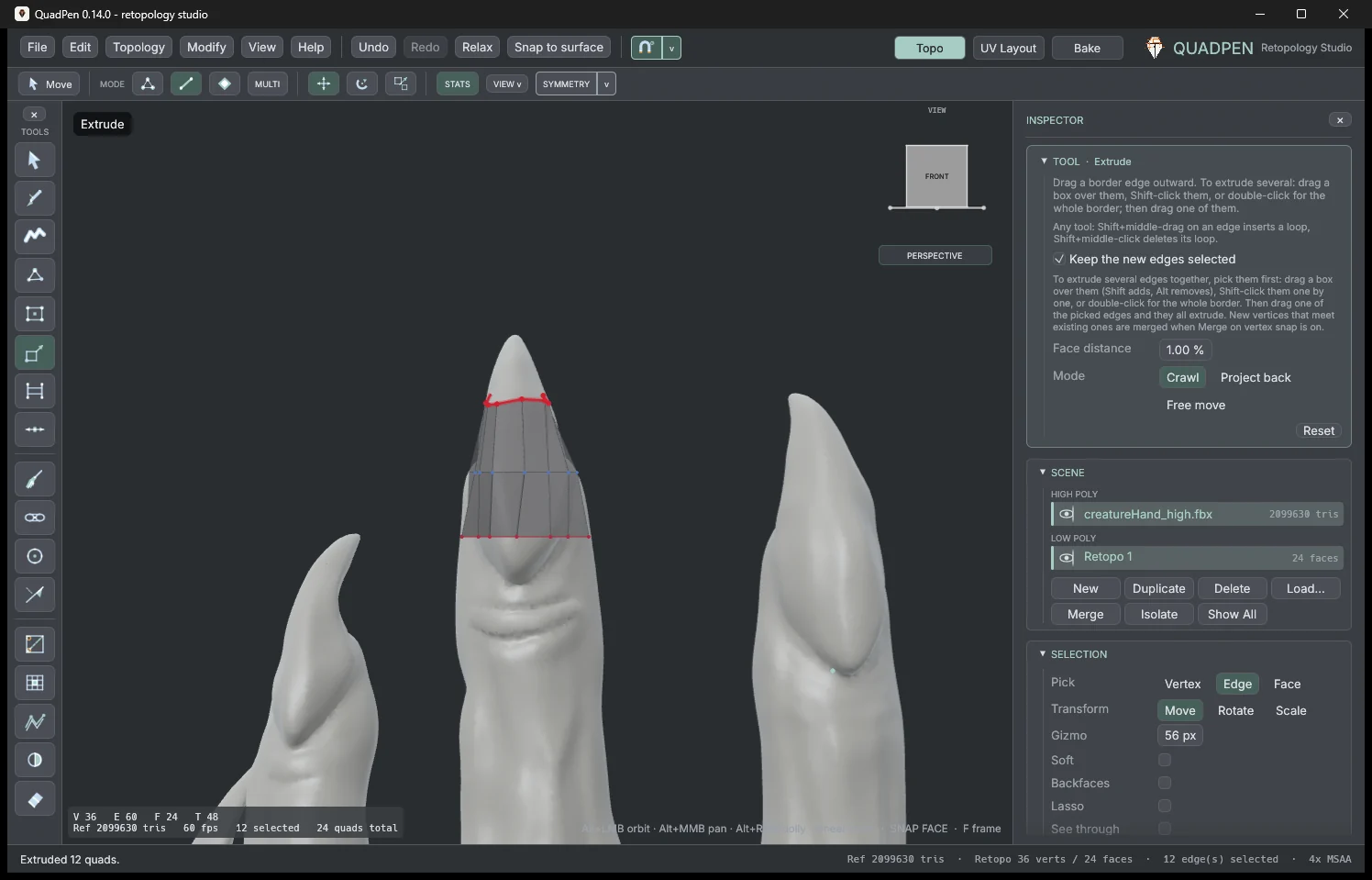
QuadPen with a ring of quads extruded up a claw, the new border selected.

Bridge and Extrude

Join separate parts into one mesh, and pull new quads out of any border.

Read More
  • Bridge two borders with one click on each side.
  • Or drag across the gap, or paint the bridge quad by quad.
  • Extrude one edge, a box of edges or a whole border.
  • New vertices merge into the ones they meet.
  • Shell adds a rim to open borders.
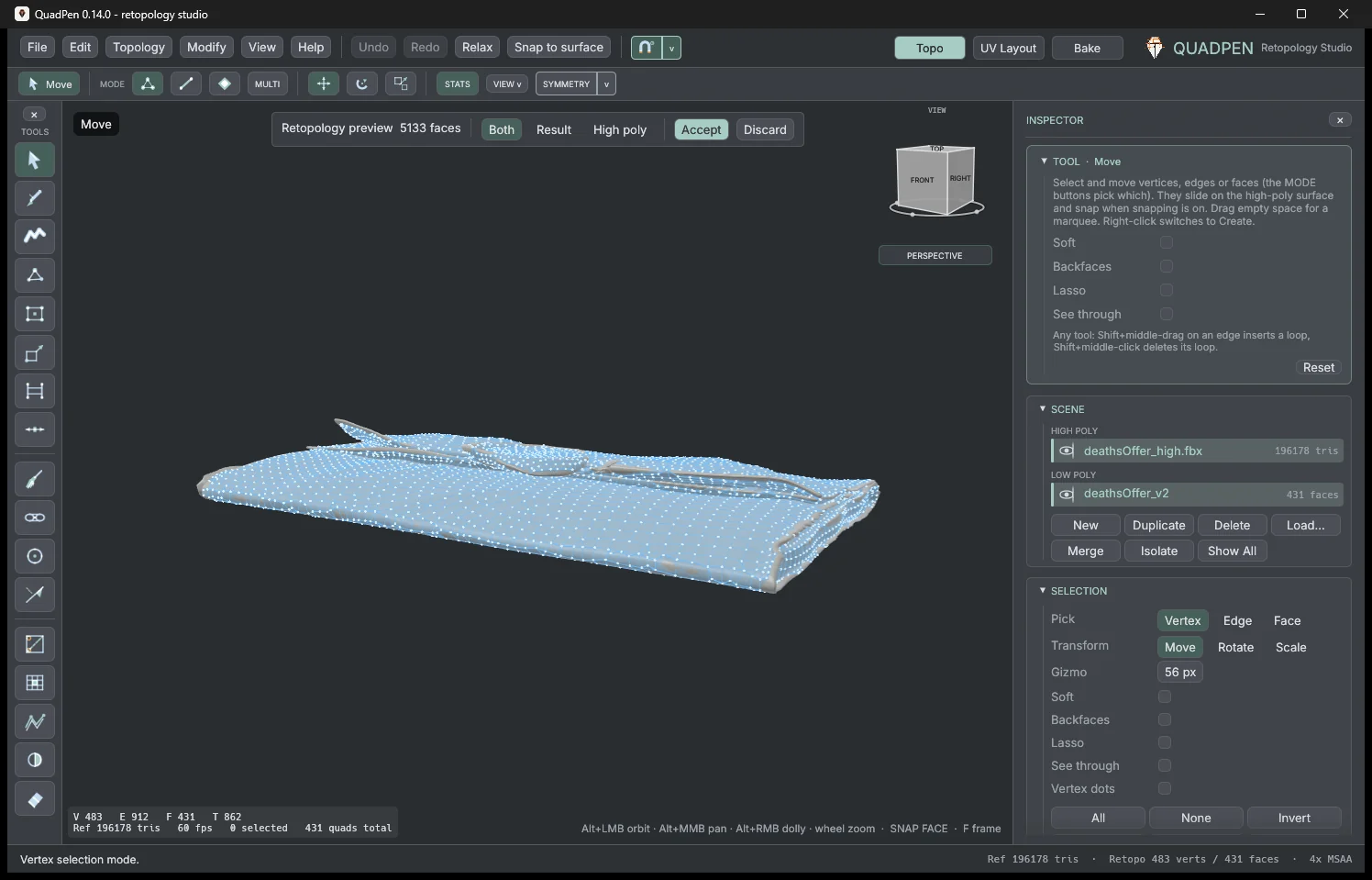
QuadPen showing an automatic retopology preview over the sculpt, with Accept and Discard buttons.

Automatic Retopology

When a part does not need hand-placed edges, let QuadPen build the mesh for you.

Read More
  • Retopology Lab is QuadPen's own quad engine.
  • Sculpt made of pieces? Join turns it into one closed surface first.
  • Hard edges are kept as exact edge loops.
  • Draw guide lines and an edge loop is placed on each one.
  • Quads, not triangles: leftover triangles are joined into quads.
  • See the result on the sculpt, then accept or discard it.
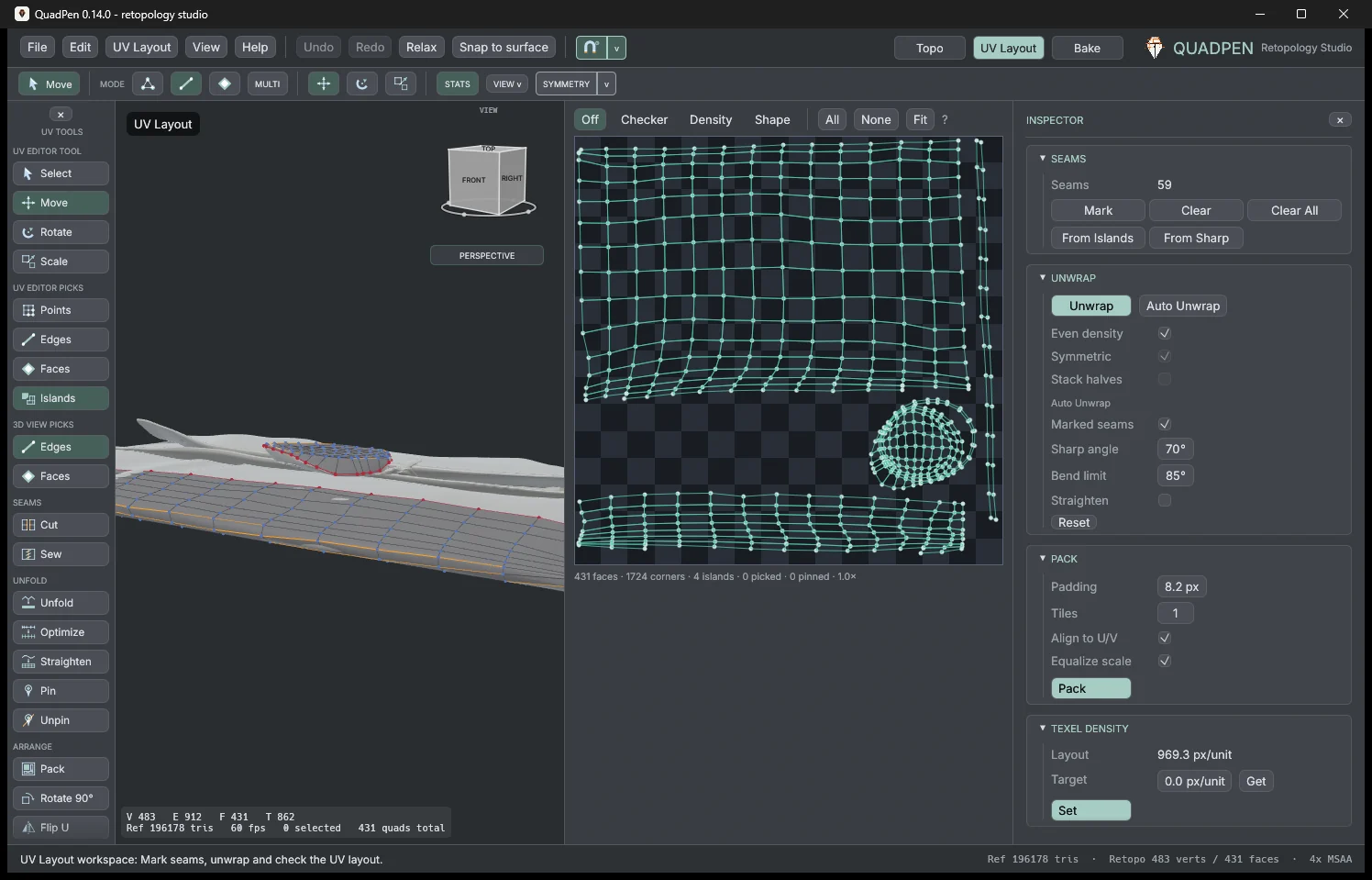
QuadPen's UV Layout workspace: the model with seams on the left, the UV islands on the right.

UV Editing

Unwrap the mesh flat, then adjust the layout in the same window.

Read More
  • Unwrap along your own seams, or let Auto Unwrap choose.
  • Cut, sew, unfold, straighten and pin.
  • Pack into one tile or up to ten UDIM tiles.
  • The same texel density on every part.
  • Checker, Density and Shape views show stretch.
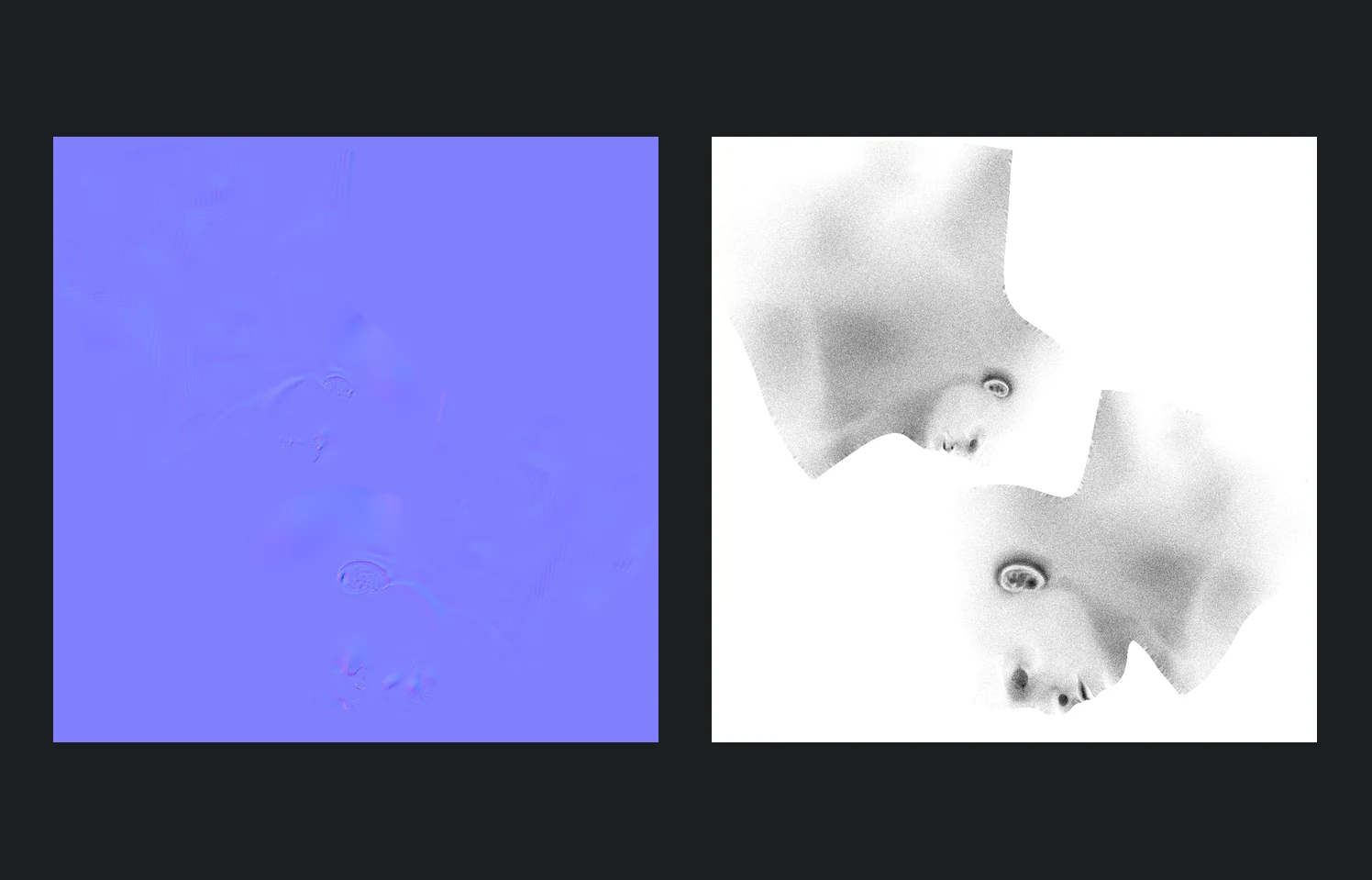
A normal map and an ambient occlusion map of a head, baked in QuadPen.

Maps Baking

Copy the detail from the high-poly sculpt into texture maps for your light mesh.

Read More
  • Normal, AO, curvature, cavity, transmission, color and displacement.
  • See the baking cage and move it live; red where the sculpt comes through.
  • Smooth, hard or by-angle shading, exported with the mesh.
  • Tangents as in Blender, Unreal, Unity and Substance (MikkTSpace).
  • Up to 4096 pixels; displacement as 32-bit float TIFF.
  • One set of maps per UDIM tile.
  • See any map on the low poly right after the bake.
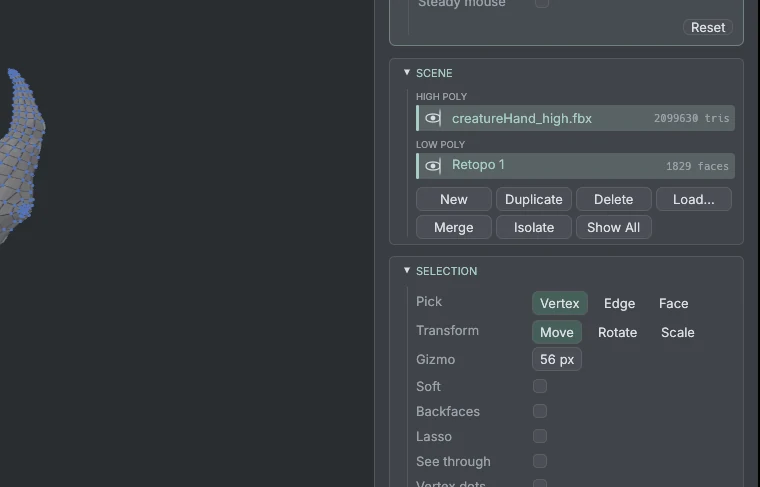
QuadPen's SCENE panel listing the high poly and the low-poly layer, beside the model.

One File, Everything Inside

A .pen scene saves your retopology objects, UVs and every reference. Reopen it and continue.

Read More
  • Low polys are layers, each with its own eye.
  • Loads OBJ, PLY, glTF, GLB, DAE and FBX.
  • Exports OBJ, PLY, DAE, FBX, GLB and glTF.
  • Autosave, and recovery if QuadPen closes unexpectedly.
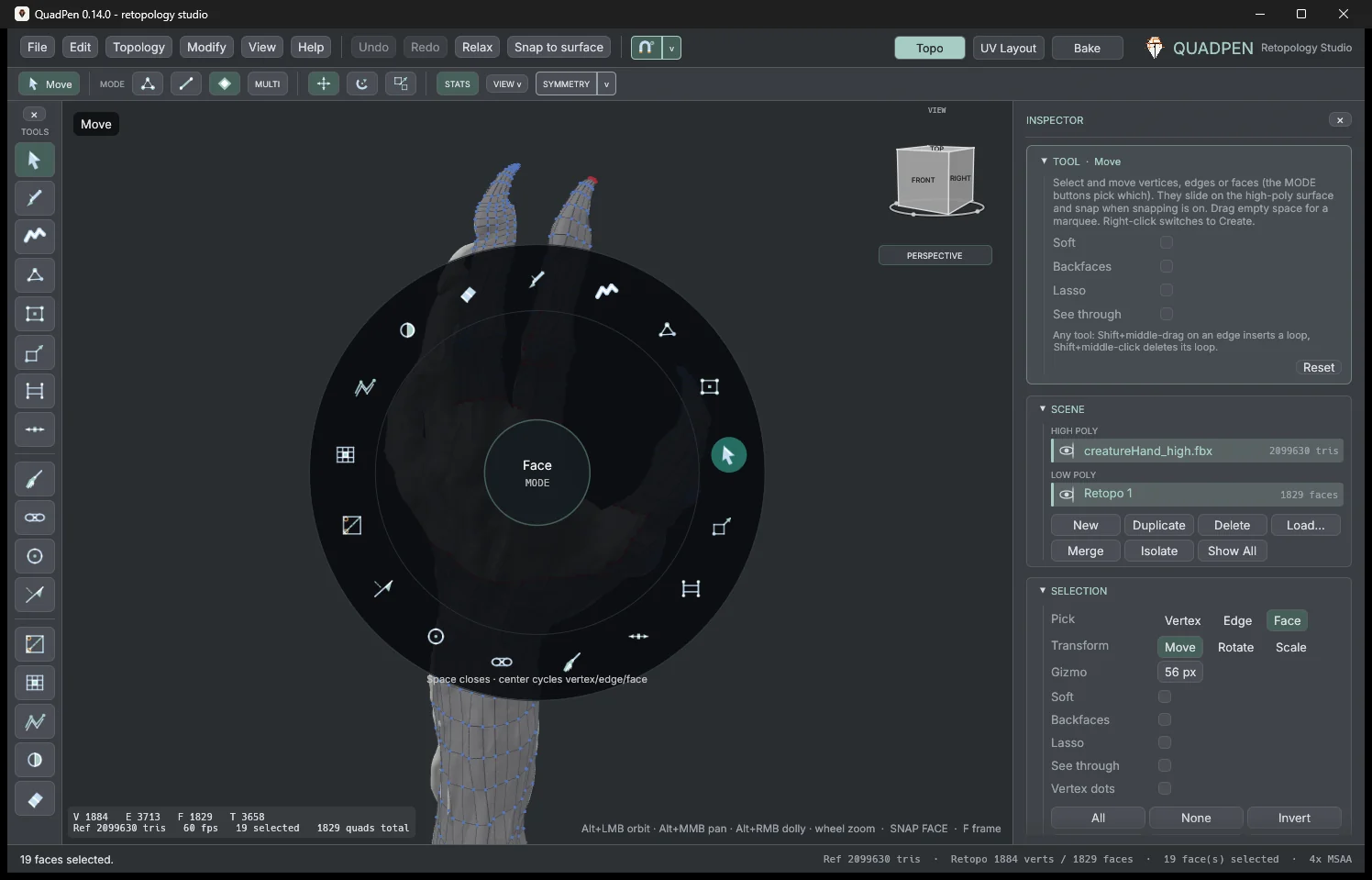
QuadPen's radial menu open over the creature hand.

Friendly Interface

Maya navigation is the default: Alt + LMB orbit, Alt + MMB pan, Alt + RMB dolly, wheel zoom.

Read More
  • TopoGun, 3ds Max, Blender and Modo navigation presets.
  • Radial menu on Space.
  • Right-click a command to put it on your own favorites bar.
  • Every shortcut can be changed.
  • Eight themes.

Every picture is a real QuadPen 0.14.0 screen. The two maps were baked in QuadPen.

FAQ

Who is QuadPen for?

Character and hard-surface artists who need a clean low-poly cage, game artists moving sculpts into production topology, Linux artists who want a native option, and technical artists.

Which systems does it run on?

Windows 10/11, macOS 11 Big Sur or later (Apple silicon and Intel), or a modern Linux desktop with Vulkan.

Which file types can I use?

You can load OBJ, PLY, glTF, GLB, DAE and FBX references, and export OBJ, PLY, DAE, FBX, GLB and glTF. QuadPen scenes save as .pen files.

How do I get new versions?

QuadPen checks for a new version when it starts and shows a bar when one is out. Help → Check for Updates… checks at any time. Download the new version here and replace the old program (on Windows, unzip it over the old one). Your settings and recent files are kept.

Is QuadPen paid?

Yes. QuadPen is a paid application. You can download the trial first: 15 days with every feature. After that, export, bake and turntable need a license; your scenes always open and save. Buy it in the Buy section.

Download the Trial

Anyone can download QuadPen and try it for 15 days with every feature. When you are ready, buy a license and paste the key in Help → License.

QuadPen for Windows

Version 0.14.0 · x64

Get it from Microsoft Store

QuadPen for Linux

Version 0.14.0 · x64

  • Ubuntu 22.04 and newer
  • Linux Mint 21 and newer
  • Pop!_OS 22.04 and newer
  • Debian 12 and newer
  • Fedora 36 and newer
  • openSUSE Tumbleweed
  • Arch Linux, Manjaro

Any x64 distribution with glibc 2.35 or newer and a Vulkan driver.

Download Trial

QuadPen for Mac

Apple silicon and Intel

Coming 1 January 2027

Each download includes README.md, LICENSE, EULA.md and CHANGELOG.md.

Buy QuadPen

Standalone

$119

One-time payment · for one person

  • Active on 2 computers at a time
  • Personal and commercial use
  • Works offline after activation

Floating

$199

One-time payment · for teams

  • Install on any number of computers
  • One person at a time uses it
  • Needs the internet while QuadPen runs

One key works on Windows and Linux, and on Mac from 1 January 2027. Prices in US dollars, shown in your currency at checkout. VAT or sales tax is added at checkout where it applies.